End-of-Year Specials: $50 Off Full Hose Bib Replacement & $200 Off Hydro Jetting →



Water Heater FloodStop Not Working? How to Reset It and Restore Water Flow
absolute plumbing Inc.
Back to Blog
Water Heater FloodStop Not Working? How to Reset It and Restore Water Flow
You turn on the hot water, but nothing comes out. Your water heater seems fine, yet the water isn’t flowing as expected. Before assuming the water heater has failed, there may be another explanation: your FloodStop automatic water shutoff device.
FloodStop systems help protect homes from water damage by shutting off the incoming water supply when a leak is detected. However, dead batteries, moisture sensors, and reset issues can sometimes leave homeowners wondering how to restore water flow. At Absolute Plumbing, we frequently help Flower Mound homeowners restart their FloodStop systems after battery failure.
Here’s what you should know about how these devices work, why they stop responding, and how to troubleshoot them safely.
What Is a Water Heater FloodStop?
A water heater FloodStop is an automatic leak detection system that shuts off the incoming water supply when its sensor detects moisture. It helps limit potential water damage from leaks around the water heater.
Most systems include three main components:
-
Moisture sensor: Detects water near the water heater or inside its drain pan.
-
Control unit: Receives signals from the sensor and may activate an audible alarm.
-
Motorized shutoff valve: Closes the water heater’s incoming cold water supply when triggered.
When the sensor detects water, the controller signals the valve to close.
Although this protection can help limit flooding, it cannot guarantee that water damage will never occur. For example, shutting off incoming water does not necessarily prevent water already stored inside a damaged tank from leaking.
Why Did My Water Heater FloodStop Shut Off?
Several issues can cause a FloodStop system to close its valve or stop responding.
The Sensor Detected Moisture
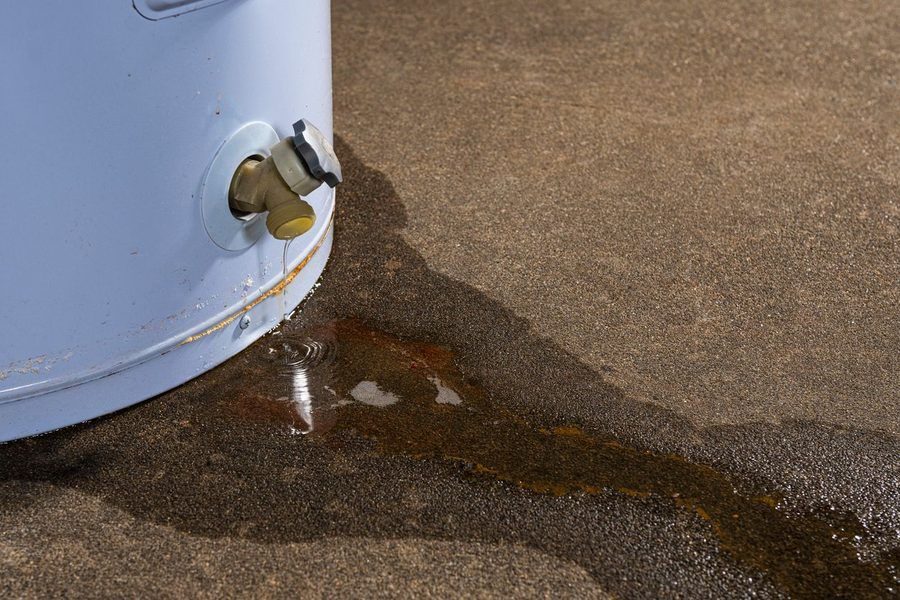
Water around the sensor may trigger the shutoff valve.
This could result from a leaking water heater, dripping plumbing connection, condensation, or another moisture source.
Never assume the alarm is false without checking for an active leak.
The Batteries Died
Dead batteries are a common reason homeowners need help restarting their FloodStop.
Depending on the model and its operating state, the controller may stop responding while the valve remains closed.
Replacing the batteries may restore power, but it does not automatically reopen the water supply.
The Sensor Is Still Wet
Even after you remove visible water, moisture remaining around the sensor may keep triggering the system.
Identify and address the moisture source before attempting to restore normal operation.
The Controller or Valve Has a Problem
Loose connections, power supply problems, controller failures, or motorized valve issues can also interfere with operation.
These problems may require professional troubleshooting.
How to Reset a Water Heater FloodStop
To reset a FloodStop, first check for leaks, confirm the moisture sensor is dry, restore power if necessary, and follow the reset instructions for your specific model. Some systems use Close and Open buttons to control the valve.
Follow these steps carefully.
Step 1: Check for Water Leaks
Before touching the controller, inspect the area around your water heater.
Look for:
-
Standing water in the drain pan
-
Dripping plumbing connections
-
Moisture beneath the water heater
-
Visible tank damage
-
Water stains or recurring dampness
If you discover an active leak, do not reopen the FloodStop valve. Contact a professional plumber to identify and repair the problem first.
Step 2: Inspect the Moisture Sensor
Locate the moisture sensor according to your FloodStop manufacturer’s instructions.
Check whether the sensor or surrounding area is wet.
If moisture is present, determine its source. Once you address the source, you may need to dry the sensor area before the system can operate normally.
Do not simply disconnect or bypass the sensor to silence an alarm.
Step 3: Check or Replace the Batteries
If your FloodStop controller is unresponsive, depleted batteries may be responsible.
Check the battery compartment and replace the batteries with the correct type specified by the manufacturer.
Make sure they are installed in the proper orientation.
Some FloodStop systems also use an electrical adapter with battery backup. If your model uses an adapter, confirm that its power connection is secure without handling damaged electrical components.
Once power is restored, check whether the controller responds. We recommend changing the batteries every 6 months.
Step 4: Follow Your FloodStop’s Reset Instructions
Reset procedures vary by model, so always follow the manufacturer’s instructions for your particular device.
Some FloodStop controllers have buttons labeled Close and Open.
On models that specify this procedure:
-
Press Close to confirm the valve responds.
-
Press Open to reopen the water supply.
-
Allow the motorized valve time to finish moving.
-
Check whether the controller indicates normal operation.
Do not force the valve or repeatedly press the controls if the system does not respond.
Step 5: Confirm Water Flow Has Returned
After reopening the valve, check whether water flow has returned to normal.
Inspect the water heater and nearby plumbing for leaks.
If the valve closes again immediately, the controller keeps alarming, or water flow doesn’t return, stop troubleshooting and contact a plumber.
What Happens When FloodStop Batteries Die?
When a FloodStop loses battery power, its behavior depends on the model and how the system is designed.
The controller may become unresponsive, and the motorized valve may remain in its previous position.
If the valve was closed before the batteries died, installing new batteries may not automatically reopen it.
You may need to follow the manufacturer’s reopening procedure after restoring power.
This is one reason Absolute Plumbing receives calls from homeowners who have already replaced their FloodStop batteries but still cannot restore water flow.
Remember, a lack of hot water doesn’t always mean your FloodStop has activated. Water heater failures, plumbing restrictions, and other problems can produce similar symptoms.
Why Won’t My FloodStop Reset After Changing the Batteries?
If new batteries don’t solve the problem, several possibilities remain.
Common causes include:
-
Batteries installed incorrectly
-
Incorrect battery type
-
Moisture still contacting the sensor
-
A loose or faulty power connection
-
Controller malfunction
-
A motorized valve that is not operating properly
-
An unresolved plumbing leak
Repeatedly resetting the system won’t fix an underlying mechanical or electrical problem.
If the controller responds but the valve will not open, professional diagnosis can help determine whether the valve, sensor, or another component needs attention.
Can You Bypass a Water Heater FloodStop?
Bypassing a FloodStop may seem tempting when you need hot water, but doing so removes an important layer of leak protection.
If the system activated because of a real leak, reopening the water supply without addressing the problem could allow additional water damage.
Don’t disconnect the sensor, force the valve, or disable the system just to restore water flow.
A plumber can evaluate the device and determine whether it needs repair or replacement.
How Often Should You Check Your FloodStop?
Like other plumbing safety devices, FloodStop systems benefit from periodic attention.
Homeowners should:
-
Check the battery condition according to the manufacturer’s recommendations.
-
Replace batteries as directed.
-
Keep the sensor area free from debris.
-
Watch for moisture around the water heater.
-
Follow manufacturer instructions for testing.
-
Address unusual alarms or valve behavior promptly.
Some FloodStop models perform automatic valve tests. However, features and testing procedures vary, so consult your specific model’s instructions.
When Should You Call a Plumber for FloodStop Problems?
Contact a professional plumber if:
-
Your FloodStop will not reset after you replace the batteries.
-
The valve remains closed.
-
The sensor repeatedly detects moisture.
-
The controller does not respond.
-
Water is leaking around the water heater.
-
The system repeatedly shuts off for no obvious reason.
-
You cannot determine whether the problem involves the FloodStop or the water heater.
Professional troubleshooting can help restore normal operation without compromising the protection the device is designed to provide.
Get Help With Water Heater FloodStop Problems in Flower Mound
A FloodStop can be a valuable addition to your home’s plumbing system, but dead batteries, sensor problems, and malfunctioning valves can make restarting it confusing.
If your FloodStop isn’t responding or your water heater’s incoming water supply stays shut off, Absolute Plumbing can help you identify the problem.
Our team provides water heater repair, leak detection, and plumbing services for homeowners in Flower Mound and surrounding North Texas communities.
Contact Absolute Plumbing today for professional FloodStop troubleshooting and water heater service to help restore your water supply safely.

Recent News
Is Hydro Jetting Worth It for Recurring Drain Problems in Flower Mound?
7 Signs You May Have a Gas Leak in Your Flower Mound, TX Home
Hard Water Crust on Disposal Blades: Fighting Limescale in Flower Mound Sinks
Low-Flow vs. High-Performance: Choosing Toilets for Flower Mound Homes
Electronic Descale Benefits for Flower Mound Homes: Pipe & Appliance Longevity
Summer Storm & Irrigation Impact on Flower Mound Drains & Sewer Lines